
Configuration Units (CUs)
Configuration Units (CUs) are hardware, firmware, and software components configured to work together to provide a service. CUs also include licensing certificates for software, registered in the RR Tech Service Management system. CUs can be considered assets if they represent financial value for the organization that owns them.
By registering CUs within your organization, you can link them to assignments (i.e., requests, problems, and tasks). This simplifies the work of service support specialists: they can more easily search for specific hardware or errors within a particular software version, monitor problems related to CUs, etc. Over time, linking CUs with assignment records creates a history for each CU.
It is recommended to store as little technical information about CUs within the RR Tech Service Management system. This information should be collected and automatically maintained by system management tools. However, the information about CUs stored in the RR Tech Service Management system may not be detected by these management tools. Examples of information supported within the RR Tech Service Management system for a specific CU include:
- Physical location of the CU (including this being important for finding the licensing certificate for software or the main version of the software);
- Team responsible for the CU;
- Service instances that are part of the CU;
- Users of the CU;
- CU suppliers;
- Warranty expiration date;
- Financial owner of the CU.
Using the System ID field, you can link a CU record in the RR Tech Service Management system with information that is automatically maintained by the management tools.
New hardware CUs can be created based on a product that represents a CU model. A new CU can be registered for a software version or a licensing certificate from the product representing the software application.
Only person with the configuration manager role in account can manage these CUs.
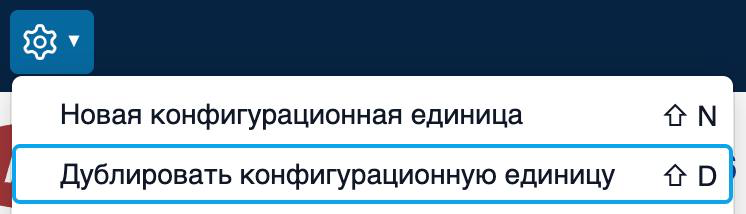
Using the “Duplicate Configuration Unit (CU)” option in the configuration manager menu, you can copy information from an existing CU and paste it into a new CU.
When using the duplication option, attachments and fields such as “System ID,” “Serial Number,” “Asset ID,” start date, and warranty expiration are not copied. CU relationships are also not copied, except for software relationships, where only the software CUs are duplicated.
When registering a new CU, buttons “Save and Add Another” and “Save” are located at the bottom of the form. Pressing the first button allows you to save the CU and proceed to fill out a new CU form, where the same information that was added to the just-saved CU is displayed. This is similar to the “Duplicate Configuration Unit (CU)” option, but with the difference that when using the “Save and Add Another” button, fields such as “Purchase Order Number,” "Purchase Cost," start and end dates of the warranty are also copied.
The fields for configuration units (CUs) page provides recommendations for using each field in the configuration unit form.