
Problem
To avoid incidents, problems can be registered. Problems are effectively identified when they are caused by one or more incidents, but it is also possible to proactively identify problems before they become the cause of various incidents. Problems that are proactively identified are typically registered in order to understand how to address a potential capacity shortage (e.g., through archiving old data, increasing network bandwidth, or improving service performance service).
Once a problem has been identified and registered, a temporary workaround may be suggested to assist the users affected by the problem. After the root cause of the problem has been identified and a structural solution proposed, the problem is typically assigned to a manager responsible for service changes. This manager will then coordinate the implementation of the proposed solution.
Only person with problem manager role in account, can open and close problems for this space.
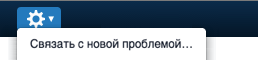
Following the selection of a request or knowledge article, the problem manager can open a new problem by selecting the “Link to new problem” option in the action menu.
A problem can be marked as urgent by any specialist with access to the problem. The “Mark as urgent” option is available in the action menu. If a problem is marked as urgent, it will appear at the top of the incoming view, without affecting the target metrics for that problem.
The problem fields page provides recommendations for using each field in the problem form.