
Project Template
Project templates are used to add a set of project task templates to, which can be linked together within a project template to form a workflow. Multiple project templates can be applied to a project.
This allows, for example, initially applying only the standard workflow to define (measure) a new project. After assessing risks, efforts, costs, and expenses, the next project template can be applied to add necessary approval stages.
Only person with role in space can maintain these project templates for that space.
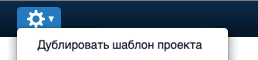
Using the "Duplicate Project Template" option in the action menu, project managers can copy information by selecting an existing project template and inserting it into a new one.
The fields page presents recommendations for using each field in the project template form.