
Request template
Request Template
==============
Request templates are used for quickly registering recurring requests. A request template can be used not only for registering a new request, but also for applying it to existing requests, for example, when the end user submits a request from a self-service portal without selecting the appropriate request template. When applying a request template, information from it is used to fill in the fields of the request. You can include instructions within a request template to assist people using this template.
Request templates can be linked to workflow templates when the requests based on a request template require the implementation of a specific workflow. If such a request template is applied to a request, a new workflow will be automatically created based on the linked workflow template.
Only individuals with the Service Desk manager role or account designer role can manage these request templates within this space.
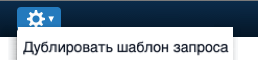
Using the "Duplicate Request Template" option in the action menu, a Service Desk manager can copy information by selecting an existing request template and pasting it into a new one.
The Request Template Fields page provides recommendations for using each field in the request template form.