
Consoles
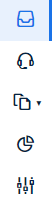
As part of the RR Tech Service Management system, users can work within five different consoles. Upon logging into the system, you are automatically assigned to the “Inbox” console. To perform various actions, you can switch between consoles. For example, if you are a Service Desk Analyst, you will most likely spend the majority of your time in the Service Desk console.
To switch between consoles, you need to click on the corresponding icon. The icons for the consoles are located in the leftmost part of the toolbar. Below the icon for the console you are currently working in, a small illuminated indicator is displayed.
The following consoles are available:
Click on one of these consoles to learn about its purpose.