
Workflow
The workflow must be registered in the following cases:
- when a service becomes unavailable or degrades during working hours,
- when the functionality of a service changes for its users, or
- when updates to configuration management information registered in the Service Management application are required.
A workflow typically contains a series of tasks, which must be completed by different people. At the same time, some tasks within a workflow may be performed by different people simultaneously, while others require sequential execution.
The Workflow Manager is responsible for planning and coordinating each workflow. As needed, they can make changes to their workflows by adding or removing tasks and adjusting the relationships between them.
Only a person with the role of Workflow Manager in this space can manage the workflows of that space.
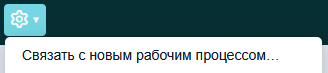
Following the selection of a request or problem, the Workflow Manager can create a new workflow for them using the “Link to New Workflow” option in the action menu.
The Fields of a workflow page presents recommendations for using each field in the workflow form.